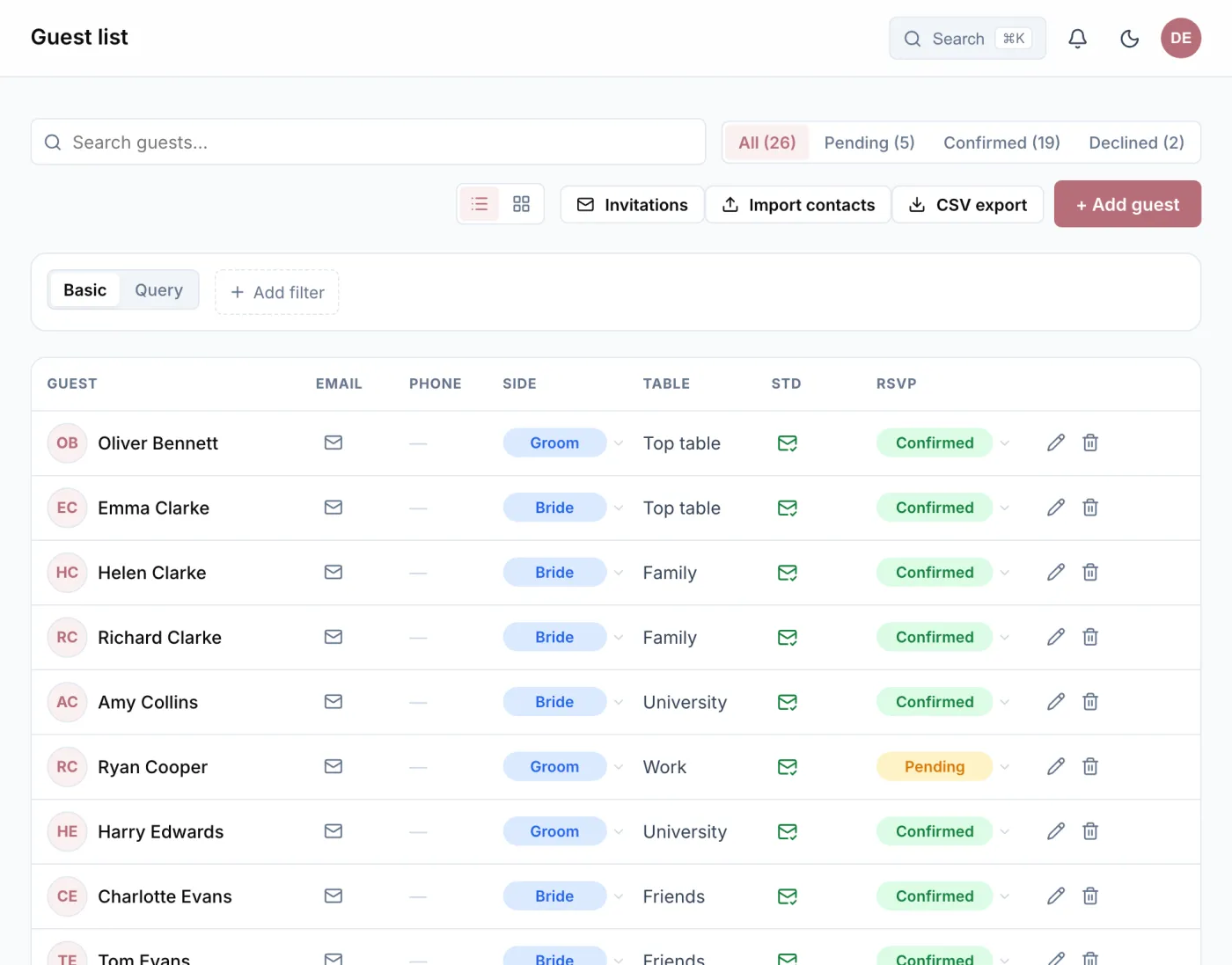
Add your guests, or import them
A name is enough to start with. Address, email and phone follow when you have them. If you already keep a list, there is nothing to retype: Wedding Buddy reads a CSV file, rows copied out of Excel, Numbers or Google Sheets, and contacts as a vCard, straight from the address book on your phone for instance. Before anything is saved, you see which columns were recognised.
You can import the same list again later, with corrected addresses for example. Whoever is already on it is updated rather than added twice. Replies, invitation links and seats stay as they are.
Invite by email, by link or on paper
Wedding Buddy sends three emails for you: the save-the-date, the invitation, and a reminder to everyone who has not replied yet. Before sending, you see who will get the email and who will not, because their address is missing for example.
Prefer cards in the post? Then every invitation gets a QR code that leads to its personal reply form: as a print sheet, as image files, or as a table of links for the printer. And whoever you reach on WhatsApp gets the copied link.
RSVPs, menus and allergies
Through their link, a guest accepts or declines, chooses a menu, names allergies, adds children and can leave you a note. They need neither an account nor an app. The reply is in your list at once, and the bell in the app tells you about it.
Families and couples can be grouped into a household. Then one person answers for everyone, and each still keeps their own reply and their own seat.
If you set a reply-by date, the invitation says so. If you like, Wedding Buddy automatically reminds everyone who has not answered by then.
Registry office, ceremony, party, brunch
Not every guest is invited to everything. Set up the parts of your wedding as separate events, each with a day, a time and a place, and choose who comes to which, perhaps only family to the registry office. Every guest sees and answers only the events they are invited to.
What the list turns into
Filters answer the questions that come up while planning: Who has not replied yet? Who has accepted but has no table? How many vegetarian menus are there? Conditions can be combined.
The list does not stay on its own. The seating chart is built from it, the budget works out per-person prices with the current number of guests, and for the caterer you print an overview of menus and allergies. You can export it as a CSV file at any time.
On the wedding day the guest list becomes the check-in: a tap on a name marks a guest as arrived and shows their table straight away. That works even when the venue has no reception.